Searching for Words and Phrases in Songs
Most of you have probably noticed that we "hide" the lyrics of songs behind first slides of the stanzas and chorus. We don't go to the effort to do that because we have a bunch of time on our hands and thought we would insert the lyrics there. The words are text entered in PowerPoint® and can therefore be seen by the operating system. Since they can be seen, Windows® has tools that can search that text for matches. This is how it works.
1) Click on Start.
2) Click on My Computer.
3) Double Click on the local disk where you have The Paperless Hymnal stored, default is C.

4) Right Click the directory where you store The Paperless Hymnal, default is tph.
5) Click on Search.

6) Select the "All files and folders" option
7) In the box under "A word or phrase in the file:" enter the word or phrase you are searching for.
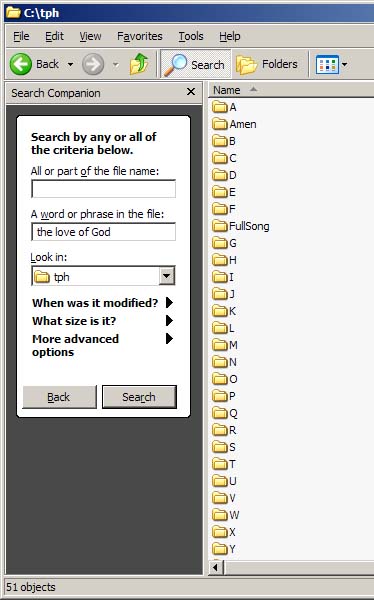
8) Click on Search.
9) Wait. Don't get in a hurry. The results will show in the window to the right.
